
Website Page Speed Checker – Improve Performance and SEO Rankings Website speed is a critical ranking factor in modern SEO. A slow website negatively impacts user experience, increases bounce rate, and reduces search engine visibility. The TaskHug Website Page Speed…
Website Page Speed Checker – Improve Performance and SEO Rankings
Website speed is a critical ranking factor in modern SEO. A slow website negatively impacts user experience, increases bounce rate, and reduces search engine visibility. The TaskHug Website Page Speed Checker helps you analyze your website performance and identify areas for improvement. Access the tool here: http://taskhug.com/tools/seo-tools/ This guide explains why page speed matters, how it affects SEO, and how to use the TaskHug Website Page Speed Checker effectively.
Why Website Speed Matters for SEO
Search engines prioritize fast-loading websites because they provide better user experience. Page speed directly affects search rankings, mobile performance, conversion rates, bounce rate reduction, user engagement, and overall website credibility. Even a one-second delay can significantly reduce conversions and organic traffic.
What Is a Website Page Speed Checker?
A Website Page Speed Checker analyzes how quickly your webpage loads and evaluates performance factors that may slow it down. It helps website owners identify technical issues affecting speed and provides insights to improve loading time and performance optimization.
Features of TaskHug Website Page Speed Checker
The TaskHug Website Page Speed Checker allows you to enter a website URL, analyze performance instantly, review speed-related insights in the result area, and identify optimization opportunities. It is simple, fast, and designed for bloggers, developers, ecommerce owners, and SEO professionals.
How to Use the Website Page Speed Checker (Based on Your Tool Interface)
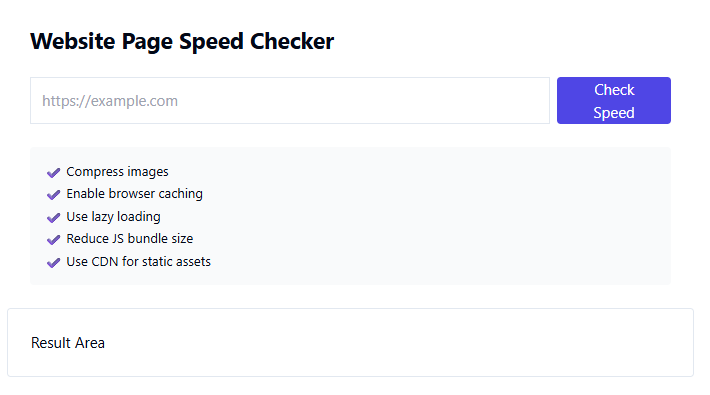
Step 1: Enter Website URL. In the input field labeled with “https://example.com,” enter your full website URL.
Step 2: Click Check Speed. Press the “Check Speed” button to start analyzing your website performance.
Step 3: Review Results. The tool will display performance details in the “Result Area.” Use the information to identify areas that need optimization.
Step 4: Implement Improvements. Apply recommended performance optimizations to enhance loading time and SEO results.
Key Page Speed Optimization Strategies
Compress images to reduce file size and improve load time. Enable browser caching to store static resources locally for repeat visitors. Use lazy loading to delay loading off-screen images and media. Reduce JavaScript bundle size to minimize render-blocking scripts. Use a CDN for static assets to deliver content faster across geographic locations. Optimize CSS and remove unused code. Improve server response time and choose reliable hosting.
SEO Best Practices for Website Performance
Prioritize mobile optimization, keep page size minimal, minimize HTTP requests, optimize fonts and scripts, monitor Core Web Vitals, test performance regularly, and maintain technical SEO health. Speed optimization should be continuous, not one-time.
Common Mistakes to Avoid
Avoid uploading uncompressed images, ignoring mobile speed issues, using excessive plugins, hosting large media files without optimization, and neglecting regular performance testing.
Who Should Use This Tool?
The TaskHug Website Page Speed Checker is ideal for bloggers, ecommerce website owners, developers, digital marketers, SEO specialists, startup founders, and agencies aiming to improve website performance and rankings.
Conclusion
Website speed is not just a technical metric; it directly impacts SEO rankings, user satisfaction, and revenue. A fast-loading website creates a competitive advantage in search results. The TaskHug Website Page Speed Checker provides a quick and effective way to evaluate and improve your website performance. Start optimizing your website speed today at http://taskhug.com/tools/seo-tools/ and strengthen your SEO foundation for long-term growth.

