
Website Health Checker – Complete Guide to Monitoring and Improving Website Performance A healthy website is the foundation of strong search engine rankings, user trust, and long-term digital growth. Even minor technical issues can impact crawlability, performance, security, and overall…
Website Health Checker – Complete Guide to Monitoring and Improving Website Performance
A healthy website is the foundation of strong search engine rankings, user trust, and long-term digital growth. Even minor technical issues can impact crawlability, performance, security, and overall SEO visibility.
The Website Health Checker Tool from TaskHug helps website owners quickly evaluate critical performance and SEO health indicators to ensure optimal functionality.
Tool URL:
http://taskhug.com/tools/seo-tools/website-health-checker
This guide explains what website health means, why it matters for SEO, and how to use the tool effectively to maintain peak website performance.
What Is a Website Health Check?
A website health check is a comprehensive evaluation of a website’s technical performance, SEO readiness, structure, and accessibility.
It typically reviews:
- Page load speed
- Mobile responsiveness
- HTTPS security
- Broken links
- Crawlability
- Indexing status
- On-page SEO elements
- Server response codes
- Core performance metrics
Regular health checks prevent ranking drops and technical penalties.
Why Website Health Monitoring Is Important
A well-maintained website ensures:
- Better search engine rankings
- Improved user experience
- Faster page load times
- Lower bounce rates
- Higher conversion rates
- Stronger technical SEO foundation
Search engines prioritize websites that are fast, secure, mobile-friendly, and error-free.
How to Use the Website Health Checker (Step-by-Step)
Access the tool here:
http://taskhug.com/tools/seo-tools/website-health-checker
Follow these structured steps:
Step 1: Open the Website Health Checker Tool
Visit the TaskHug Website Health Checker page in your browser.
Step 2: Enter Your Website URL
In the provided field, input your full website URL.
Example:
https://yourwebsite.com
Ensure the website is publicly accessible.
Step 3: Start the Health Check
Click the “Check Website Health” or “Analyze” button.
The tool will begin scanning your website’s technical and SEO health metrics.
Step 4: Automated Analysis Process
The tool evaluates multiple areas, including:
- Page loading performance
- Server response time
- HTTPS status
- Mobile compatibility
- Metadata presence
- Sitemap availability
- Broken links
- Crawl errors
- Overall SEO structure
Step 5: Review the Health Report
After scanning, the tool provides:
- Overall website health score
- Critical issues
- Warnings
- Optimization suggestions
- Technical insights
Carefully review all sections of the report.
Step 6: Prioritize Fixes
Address issues in the following order:
Critical Fixes
- Server errors
- Missing HTTPS
- Broken internal links
- Slow loading pages
- Mobile usability issues
Optimization Fixes
- Missing meta tags
- Duplicate titles
- Missing alt attributes
- Improper heading structure
Structural Improvements
- Improve internal linking
- Optimize sitemap
- Clean redirect chains
Step 7: Recheck Website Health
After implementing improvements, re-run the tool to verify that issues have been resolved.
Regular monthly health checks are recommended.
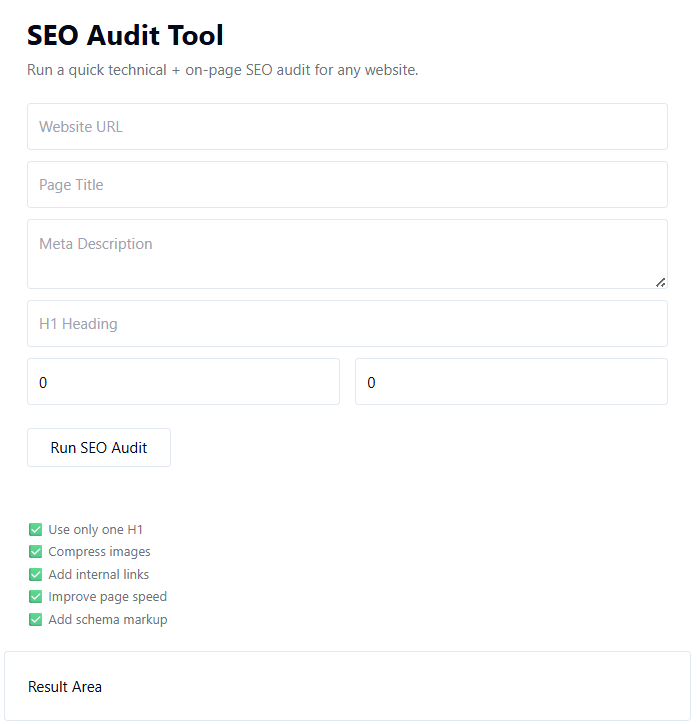
Professional Website Health Audit Framework
To maximize the benefits of the Website Health Checker, follow this structured maintenance approach:
1. Technical Performance Analysis
Evaluate:
- Page speed
- Server response time
- HTTPS configuration
- Core web performance indicators
Improve speed using the Website Page Speed Checker available on TaskHug.
2. Crawlability & Indexing Check
Ensure:
- Sitemap is updated
- Robots.txt is configured correctly
- Important pages are indexed
Use:
- Sitemap Generator
- Google Index Checker
to strengthen crawl efficiency.
3. On-Page SEO Review
Check:
- Title tags
- Meta descriptions
- Header structure
- Keyword optimization
You can refine these elements using:
- Meta Tag Generator
- Keyword Density Checker
4. Internal Linking & Error Detection
Broken links disrupt SEO authority flow.
Use:
- Broken Link Checker
to identify and fix dead links.
5. Authority & Competitive Benchmarking
Evaluate domain strength and competitor comparison using:
- Domain Authority Checker
- Backlink Checker
- SEO Competitor Analysis Tool
Understanding your SEO health relative to competitors helps you plan improvements strategically.
Internal Linking Strategy for TaskHug
To strengthen topical authority and improve SEO structure, connect the Website Health Checker with related TaskHug tools.
Primary Tool:
- Website Health Checker
Supporting Tools:
- Full SEO Audit Tool
- SEO Competitor Analysis Tool
- Google Rank Tracker
- Broken Link Checker
- Schema Markup Generator
- Keyword Density Checker
- Meta Tag Generator
- Backlink Checker
- Domain Authority Checker
- Sitemap Generator
- Google Index Checker
- Website Page Speed Checker
- YouTube SEO Optimizer
Use contextual anchor text such as:
- check website health
- perform full SEO audit
- fix broken links
- improve page speed
- analyze competitor SEO
- track keyword rankings
- generate structured data
This structured internal linking enhances crawl depth and improves SEO authority signals.
Who Should Use the Website Health Checker?
This tool is ideal for:
- Website owners
- Bloggers
- SEO professionals
- Digital marketing agencies
- eCommerce stores
- Local businesses
- Corporate websites
- Startup founders
Anyone aiming for long-term search engine visibility should monitor website health regularly.
Advanced Website Health Optimization Strategy
To maintain consistent SEO performance:
- Conduct monthly health checks.
- Fix technical errors before optimizing content.
- Improve mobile experience continuously.
- Monitor server uptime and performance.
- Audit internal linking quarterly.
- Track keyword improvements after fixes.
- Combine health monitoring with full SEO audits.
Website health is an ongoing process, not a one-time action.
Conclusion
The TaskHug Website Health Checker provides a structured and efficient way to monitor your website’s technical and SEO performance.
It helps you:
- Detect critical issues
- Improve technical SEO
- Enhance user experience
- Strengthen crawlability
- Increase organic visibility
Start checking your website health today:
http://taskhug.com/tools/seo-tools/website-health-checker
When integrated with other TaskHug SEO tools, website health monitoring becomes a core component of sustainable search engine growth.

